WOOCOMMERCE
WooCommerce Maintenance Checklist for Online Stores
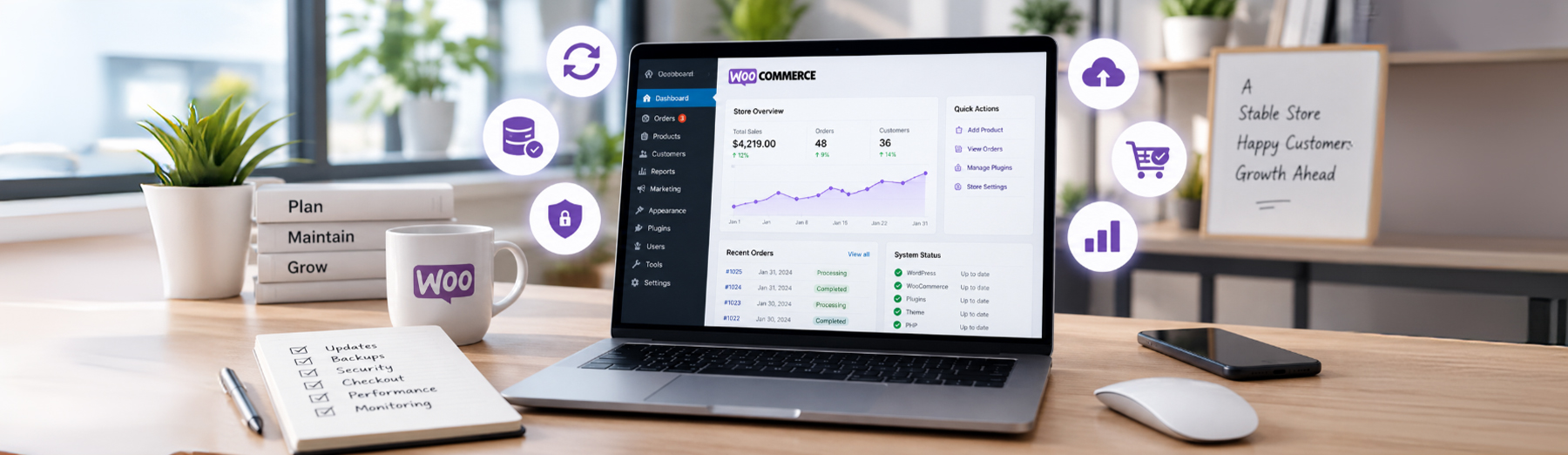
Keeping a WooCommerce store running smoothly requires more than occasional plugin updates. Ongoing maintenance helps protect store functionality, customer data, checkout reliability, performance, security, and the overall shopping experience.
A structured WooCommerce maintenance routine makes it easier to identify problems before they affect customers or sales.

Why WooCommerce Maintenance Matters
WooCommerce stores depend on many connected systems working together, including WordPress, themes, plugins, payment gateways, shipping tools, databases, customer accounts, and third-party integrations.
Without regular maintenance, small issues can turn into larger problems such as:
- Failed checkout transactions
- Plugin or theme conflicts
- Security vulnerabilities
- Broken forms or account features
- Slow store performance
- Database growth
- Outdated extensions
- Payment gateway errors
- Shipping or tax calculation problems
- Broken product pages
- Backup failures
- Mobile usability issues
Regular maintenance helps reduce unexpected problems and keeps the store stable as WordPress, WooCommerce, plugins, and external services continue to change.
For stores that need ongoing technical support, professional WooCommerce Development can help with maintenance, troubleshooting, updates, and functionality improvements.
Maintenance Tip: WooCommerce maintenance should be proactive. Waiting until checkout breaks or a plugin conflict appears usually creates more work than routine testing and monitoring.
Back Up the Store Before Making Changes
A reliable backup is one of the most important parts of WooCommerce maintenance. Before updating WordPress, WooCommerce, themes, plugins, or custom code, make sure the store can be restored if something goes wrong.
A solid backup routine should include:
- WordPress files
- WooCommerce product data
- Orders and customer information
- The full database
- Theme files
- Plugin files
- Uploaded media
- Custom code and configuration
- Off-site or separate backup storage
- Regular restore testing
For active WooCommerce stores, backup frequency should reflect how often orders and customer data change. A store processing orders throughout the day may need more frequent database backups than a low-volume site.
Backup Tip: A backup is only useful if it can be restored successfully. Periodically test the restore process instead of assuming every backup is valid.
Update WordPress, WooCommerce, Themes, and Plugins Carefully
Keeping WordPress, WooCommerce, themes, and plugins updated is important for security, compatibility, bug fixes, and performance. But updates should be handled carefully because WooCommerce stores often depend on multiple extensions working together.
A safer update process includes:
- Reviewing available updates before installing them
- Checking plugin and theme compatibility
- Creating a fresh backup first
- Testing major updates on staging
- Updating one component at a time when possible
- Checking the storefront after updates
- Testing cart and checkout functionality
- Reviewing payment and shipping features
- Watching for PHP errors or plugin conflicts
- Keeping custom code documented
- Removing abandoned or unsupported extensions
Major WooCommerce, WordPress, PHP, or theme changes deserve extra testing because they can affect store functionality in unexpected ways.
For stores with custom themes, plugins, or functionality, ongoing WordPress Development support can help manage updates, compatibility issues, and technical changes more safely.
Update Tip: Do not treat a successful update screen as proof that the store is working correctly. Always test the customer-facing experience after important updates.
Test Cart and Checkout Functionality
Cart and checkout are among the most important areas to test during WooCommerce maintenance because problems here can directly affect completed orders.
Regular testing should include:
- Adding products to the cart
- Updating quantities
- Removing products
- Applying coupons
- Testing shipping calculations
- Testing tax calculations
- Checking payment gateways
- Completing a test order
- Reviewing order confirmation emails
- Testing guest checkout
- Testing customer account checkout
- Checking checkout on mobile devices
- Reviewing failed or abandoned transactions
Testing should reflect the real purchase process customers use, including important payment, shipping, tax, and discount scenarios.
Checkout Maintenance Tip: Do not assume checkout is working just because the page loads. Complete test transactions periodically to confirm the entire order process works from cart through confirmation.
Check WooCommerce Security and User Access
WooCommerce stores contain customer information, order data, payment-related integrations, and administrative controls, so security should be part of routine maintenance.
Regular security checks should include:
- Reviewing administrator and shop manager accounts
- Removing users who no longer need access
- Using strong, unique passwords
- Enabling two-factor authentication when available
- Keeping WordPress, WooCommerce, themes, and plugins updated
- Reviewing security plugin alerts
- Monitoring failed login attempts
- Checking for unexpected administrator accounts
- Reviewing file changes or suspicious activity
- Confirming SSL is working correctly
- Limiting unnecessary user permissions
- Checking that backups are current
Security maintenance should focus on reducing unnecessary access and identifying unusual activity before it becomes a larger problem.
Security Tip: Review user access regularly. Old administrator accounts and excessive permissions can create unnecessary security risk even when the store itself appears to be working normally.
Clean Up the WooCommerce Database
WooCommerce stores can accumulate expired transients, old sessions, revisions, scheduled actions, and leftover plugin data over time.
Routine database maintenance may include:
- Cleaning expired transients
- Reviewing WooCommerce sessions
- Checking scheduled actions
- Removing unnecessary revisions
- Reviewing oversized tables
- Removing unused plugin data
- Optimizing database tables
Always create a current backup before performing database cleanup.
Database Maintenance Tip: Clean only data you understand. WooCommerce databases contain important order, product, customer, and configuration information.
Check Product, Inventory, and Pricing Data
WooCommerce maintenance should also include reviewing product information and inventory data to make sure customers are seeing accurate, current information.
Regular checks can include:
- Confirming product prices are correct
- Reviewing sale prices and expiration dates
- Checking stock quantities
- Verifying out-of-stock behavior
- Reviewing product variations
- Checking SKU accuracy
- Confirming product images are displaying correctly
- Reviewing category assignments
- Checking discontinued or hidden products
- Testing product search and filters
Incorrect product or inventory data can create customer confusion, failed orders, or unnecessary support issues.
Catalog Maintenance Tip: Review product and inventory data regularly, especially after bulk imports, ERP syncs, pricing updates, or major catalog changes.
Test Order Emails and Customer Notifications
WooCommerce sends important notifications for orders, refunds, password resets, and account activity. These emails should be tested periodically to make sure customers and store administrators receive them correctly.
Check:
- New order emails
- Customer order confirmations
- Completed-order notifications
- Refund emails
- Password reset messages
- Sender name and email address
- Email delivery logs when available
Customers may assume an order failed if they do not receive expected confirmation messages, even when the transaction completed successfully.
Email Maintenance Tip: Test important WooCommerce emails after major updates, hosting changes, DNS changes, or email configuration changes.
Review Store Performance and Error Logs
WooCommerce maintenance should include checking for recurring performance issues and technical errors, even when the storefront appears to be working normally.
Review:
- Slow product, cart, or checkout pages
- PHP and server error logs
- WooCommerce status logs
- Repeated plugin errors
- Failed scheduled actions
- Database-related warnings
- Mobile performance
Logs can reveal problems that customers have not reported yet, especially issues caused by plugins, integrations, server resources, or background processes.
Ongoing website maintenance and performance support can help identify recurring errors, slowdowns, and technical issues before they begin affecting customers or orders.
Monitoring Tip: Do not wait for customers to report a problem. Regularly reviewing WooCommerce and server logs can help identify recurring issues before they affect more orders.
Check Mobile Store Functionality
WooCommerce maintenance should include testing the store on mobile devices because product browsing, cart actions, account features, and checkout can behave differently on smaller screens.
Regular mobile checks should include:
- Product and category page layouts
- Navigation and menus
- Product image galleries
- Add-to-cart buttons
- Product variations and options
- Cart functionality
- Checkout forms
- Payment buttons
- Customer account pages
- Coupon and promo fields
- Tap targets and form usability
Mobile testing should focus on whether customers can complete the entire shopping process without layout problems, hidden controls, or difficult interactions.
Mobile Maintenance Tip: Test the full purchase journey on an actual mobile device periodically, not just in a desktop browser’s responsive preview.
Review Scheduled Actions and Background Processes
WooCommerce and many extensions rely on scheduled tasks for subscriptions, emails, webhooks, inventory updates, payment processing, and other background activity. Failed or delayed tasks can create problems even when the storefront still appears normal.
Regular checks should include:
- Reviewing WooCommerce scheduled actions
- Checking failed or overdue actions
- Looking for repeated task failures
- Reviewing webhook delivery
- Checking subscription or recurring-payment tasks when applicable
- Monitoring inventory or integration syncs
- Investigating unusually large action queues
Background Task Tip: Repeated failed scheduled actions can point to plugin, server, API, or database problems that should be investigated before they affect customers.
Create a Regular WooCommerce Maintenance Schedule
WooCommerce maintenance works best when it follows a consistent schedule instead of being handled only when something breaks.
A practical maintenance routine can include:
- Weekly: review orders, failed transactions, backups, and critical errors
- Monthly: update plugins and themes, test checkout, review security, and check store performance
- Quarterly: review database health, user access, scheduled actions, product data, and integrations
- After major changes: test checkout, emails, payment gateways, mobile functionality, and backups
The exact schedule should reflect the size of the store, order volume, number of integrations, and how frequently products or functionality change.
Maintenance Schedule Tip: High-volume or heavily customized WooCommerce stores usually need more frequent checks than smaller stores with limited activity.
How Tech Prime Web Handles WooCommerce Maintenance
WooCommerce maintenance is most effective when updates, testing, monitoring, backups, security, and performance checks are handled as part of one ongoing process rather than as separate tasks.
Tech Prime Web can help with:
- WordPress and WooCommerce updates
- Plugin and theme compatibility checks
- Backup and restore planning
- Cart and checkout testing
- Security and user-access reviews
- Database maintenance
- Performance monitoring
- Error-log reviews
- Scheduled-action checks
- Mobile testing
- Technical troubleshooting
- Ongoing store support
The goal is to keep the store stable, secure, and reliable while reducing the risk of unexpected problems affecting customers or orders.
For businesses that need ongoing support, our WooCommerce Development services include maintenance, troubleshooting, updates, and technical improvements.
Final Thoughts: Keeping a WooCommerce Store Reliable
WooCommerce maintenance is an ongoing process that helps keep the store stable, secure, fast, and ready to process orders. Updates, backups, checkout testing, security reviews, database cleanup, mobile checks, and performance monitoring all play a role.
The best maintenance approach is consistent and proactive. Regular reviews make it easier to catch small issues before they become larger technical problems or affect customers.
Final Takeaway: A reliable WooCommerce store depends on routine maintenance, not just emergency fixes. Regular testing, updates, monitoring, and backups help protect store functionality, customer experience, and day-to-day operations.